Blinkit holds a leading position in India's quick commerce sector, with a market share estimated between 40% and 46% in 2025, based on Gross Order Value (GOV). If you are a business that wants to expand its presence on Blinkit, it is the perfect time for you right now!
In this guide, we will explain the Blinkit seller registration in a step-by-step process and provide basic tips on how to optimize and enhance your sales on the platform. If you want to sell on Blinkit and unlock the full potential of your business's growth, then read this blog to find out!
Why Sell Your Products on Blinkit?
Blinkit (formerly known as Grofers) is currently one of the top quick commerce platforms online in India. Blinkit is known for fast delivery of groceries, FMCG, and other daily-use products to customers within 10 minutes across major cities. Here are a few reasons why you should consider becoming a Blinkit seller:
- Access to millions of customers active on the platform.
- Fast and efficient delivery system for higher customer satisfaction.
- A user-friendly seller dashboard that makes inventory and orders management easy.
- Sell products in a wide range of categories like groceries, personal care, and household essentials.
- Option to list your products with optimized visibility.
Want to know how to become seller on Blinkit? We'll explain in the later sections of the blog. Stay tuned!
Recommended: Jiomart Seller Registration: How to Become a Seller on JioMart
Eligibility Criteria of Blinkit Seller Registration Process
Before you head on to the Blinkit seller registration process, make sure you meet the basic eligibility criteria:
- Business Registration Certificate: You need to show proof that you are a registered business in India (sole proprietorship, partnership, LLP, or private limited company).
- GST Number: A valid GST registration is mandatory to sell taxable goods on Blinkit.
- Bank Account: A bank account in your business's name is necessary to receive payments from sales online.
- Product Categories: Your products must fall under Blinkit’s 7000+ product categories. This includes groceries, personal hygiene, beverages, snacks, or household essentials.
Documentation Required to Become a Seller on Blinkit
Before you start selling on Blinkit, you’ll need to keep the following documents ready for the Blinkit registration:
- PAN card
- Aadhaar card
- Bank account details
- Trade license
- Goods and services identification number
- FSSAI license (if you are planning to sell food products on Blinkit)
- Drug license (if you are planning to sell pharmaceutical products on Blinkit)
If you require professional assistance with the Blinkit seller onboarding process, then reach out to the top Blinkit Onboarding Services today!
How to Sell on Blinkit: Step-by-Step Guide To Register on Blinkit
Here is a step-by-step guide on how to sell products on Blinkit in 2025:
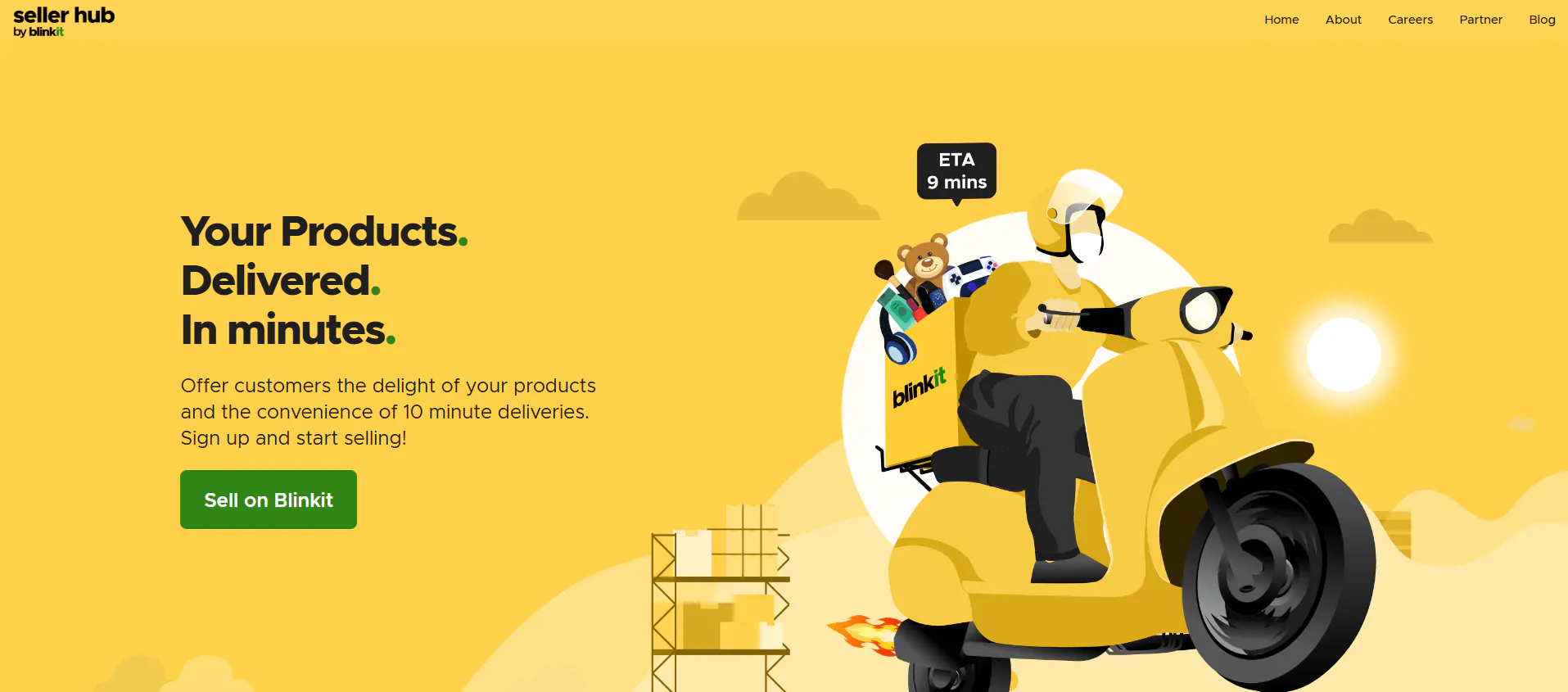
1. Visit the Blinkit Seller Registration Page
Go to the official Blinkit seller registration portal. You can search “Blinkit seller registration page” on Google or visit the registration page directly.
2. Fill in Business Details
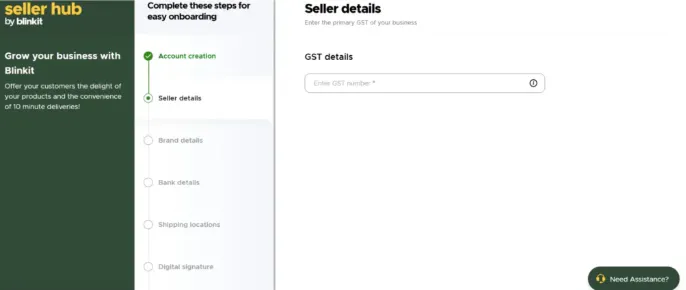
You need to fill in the details of your business, including your GST number, your business name, shipping location, bank details, and digital signature.
3. Upload Required Documents
Upload all necessary documents, such as the GST registration certificate and PAN card.
4. Fill in Other Details to Start Selling on Blinkit
Fill in other details such as your name, contact information, address, and the type of products you will be selling on the Blinkit platform.
5. Add Product Listings
Add the products that you wish to sell in product listings on Blinkit. This includes products such as groceries, dairy, vegetables, personal care items, and beverages. You can reach out to the top Blinkit Catalogue Product Listing Services for professional assistance with optimizing product listings on Blinkit!
6. Verification and Approval
Blinkit will review your application and documents. Once the provided information is verified, you’ll receive approval via email and will gain access to the Blinkit seller dashboard.
7. Start Selling
Once your store is live, you can start selling on Blinkit and reach millions of customers online!
How to Optimize Your Blinkit Store and Increase Sales on Blinkit
To stand out from other Blinkit sellers, you need to optimize your store for better visibility online. Here’s how you can do this:
1. Accurate Product Descriptions
Make sure product descriptions include the right details and are accurate. Add relevant SEO keywords to improve the visibility of your products online.
2. Use High-Quality Images
Make sure your products have high-quality photos showcasing the products from different angles. Product images help to grab the attention of target customers.
3. Manage Inventory Efficiently
Use the seller dashboard for proper inventory management. Avoid overstocking or stockouts through effective inventory management.
4. Set Prices of Products Competitively
Conduct an in-depth market research on your competitors and set the best price for your products accordingly.
5. Detailed Reports and Insights
Check your sales performance through insights available on the seller dashboard, and find out which marketing strategies are working out the most for your business.
Common Mistakes Made by Blinkit Sellers
Even experienced sellers make mistakes that can affect the overall visibility and sales. Avoid common mistakes like:
- Incomplete Product Listings: Missing product descriptions or poor-quality images reduce the credibility of your brand.
- Improper Inventory Management: Running out of stock frequently impacts sales performance.
- Ignoring Data and Analytics: The seller dashboard provides crucial information on sales performance. Ignoring it leads to poor marketing strategies and less revenue.
Tips for Sellers to Succeed on the Blinkit Platform
Here are some expert tips to help your store grow and thrive on Blinkit:
1. Keep Your Inventory Updated
Regularly check your stock levels to maintain high levels of customer satisfaction.
2. Participate in Special Promotions
Take part in Blinkit’s promotional events and sales campaigns to boost product visibility.
3. Track Performance
Track sales performance using the analytics on your seller account to understand which products have the most sales and to craft better marketing strategies for your target audience.
4. Respond to Customer Feedback
Improve customer satisfaction by responding to customer reviews professionally.
5. Stay Compliant
Ensure your store is compliant with Blinkit's policies and guidelines.
Frequently Asked Questions (FAQs)
Clear your doubts and queries in this FAQ section. If you have any further questions, then feel free to reach out to our team today!
Q1. Can I sell on Blinkit without GST registration?
You cannot complete the registration process on Blinkit without a GST registration certificate. Go through the checklist we provided for the documentation required to complete the registration process without any potential delays!
Q2. What kind of products can I sell on Blinkit?
From pet care products to bread and eggs, you can sell products from various categories on Blinkit. There are over 7000+ product categories through which you can sell your products!
Q3. How long does the verification process take?
The verification process of the Blinkit seller registration may take only 7 days or can stretch longer than 2 weeks. Contact our team if you don't hear back from Blinkit for more than 30 days, so that we can help resolve the issue as fast as possible to help you get onboard as a seller!
Q4. Does Blinkit charge sellers any commission rates?
Platforms like Blinkit charge sellers on a commission per sale basis. On Blinkit, sellers need to pay around 8% and 15% commission rate per sale. The percentage highly depends on the product category and other factors.
Q5. Can I monitor my sales performance on Blinkit?
If you want to monitor the KPI (Key Performance Index) of your sales on Blinkit, then go to the seller dashboard to gain vital insights into your sales performance.
Q6. How can NextGen help sellers with the registration on Blinkit?
NextGen provides personalized guidance for every challenge you face during the registration process. From gathering the right documentation to optimization of listings, our team will personally walk you through the seller registration.
Read More: Sell Online On Meesho at 0% Charges
Final Thoughts
This guide for Blinkit sellers helps you to understand how to sell product on Blinkit or how to sell in Blinkit without complicated steps. Expand your business on India's rapidly growing quick commerce platform today!
Book Your Consultation Today!
Ready To Join India's Largest Quick Commerce Platform Online?
If you require professional guidance on the Blinkit seller registration process, then reach out to our team today.
Free consultation • Fast response
Let’s discuss your growth plan
Share your requirements and we’ll suggest the best next steps for your store, ads, and performance.
- Store & catalog review
- Ads & ROAS audit
- Setup & onboarding
- Actionable roadmap
Prefer email? [email protected]